Ai Playground on YouTube
overview
Democratizing high-fidelity video creation with Generative AI
Role: Lead Product Designer (Core Creation Team)
Timeline: Q3 2024 – Q2 2025
Platform: iOS & Android (Global Rollout)
Tools: Figma, Origami Studio, Google Veo/Imagen Models
The Challenge
The "Blank Canvas" Problem YouTube Shorts has millions of daily creators, but the gap between having an idea and executing it remains a significant friction point. Our user research identified three main barriers for casual creators:
Resource Constraints: Users wanted to film skits or stories but lacked the physical sets, props, or high-quality B-roll to make them look professional.
Creation Fatigue: The pressure to be visually unique was discouraging users who didn't have editing skills or expensive equipment.
Blank Slate Problem: Users looking to leverage Gen AI tools, didn’t know where to start when crafting a prompt or even what the model could do.
Our Goal
Leverage Google’s latest generative models (Veo & Imagen) to build an in-camera tool that allows anyone to generate effects and video clips instantly, without leaving the Shorts creation flow.
The solution
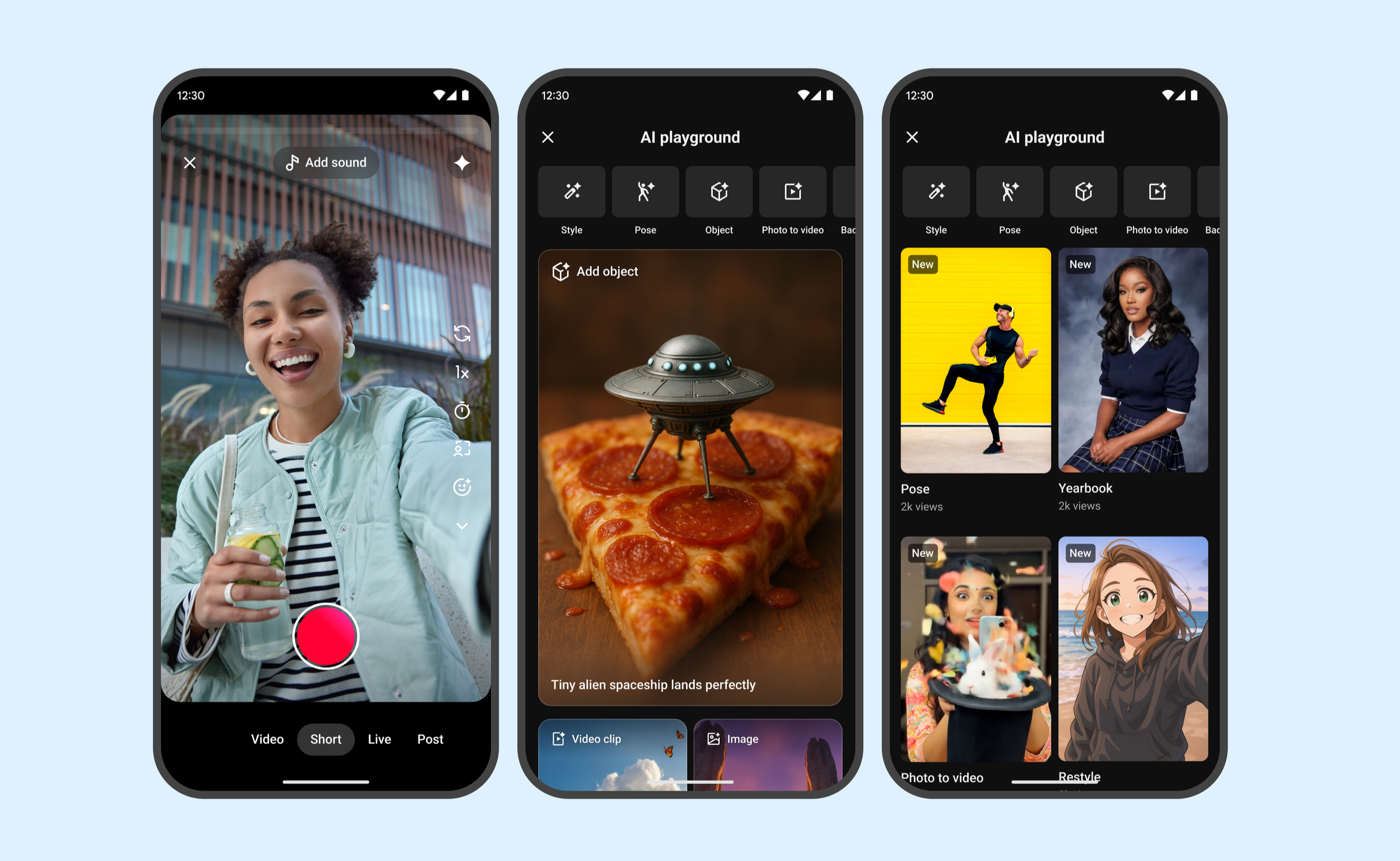
We introduced the AI Playground—a dedicated creation hub within the Shorts camera. At launch, several flag ship features allow creators to instantly generate dynamic, AI-rendered videos or image backgrounds to use in their videos.
Key Features:
Text-to-Video Generation: Real-time generation of 6-8 second looping videos from a prompt.
Text-to-image-Generation: Real-time generation of high resolution images users can add to their video backgrounds and thumbnails.
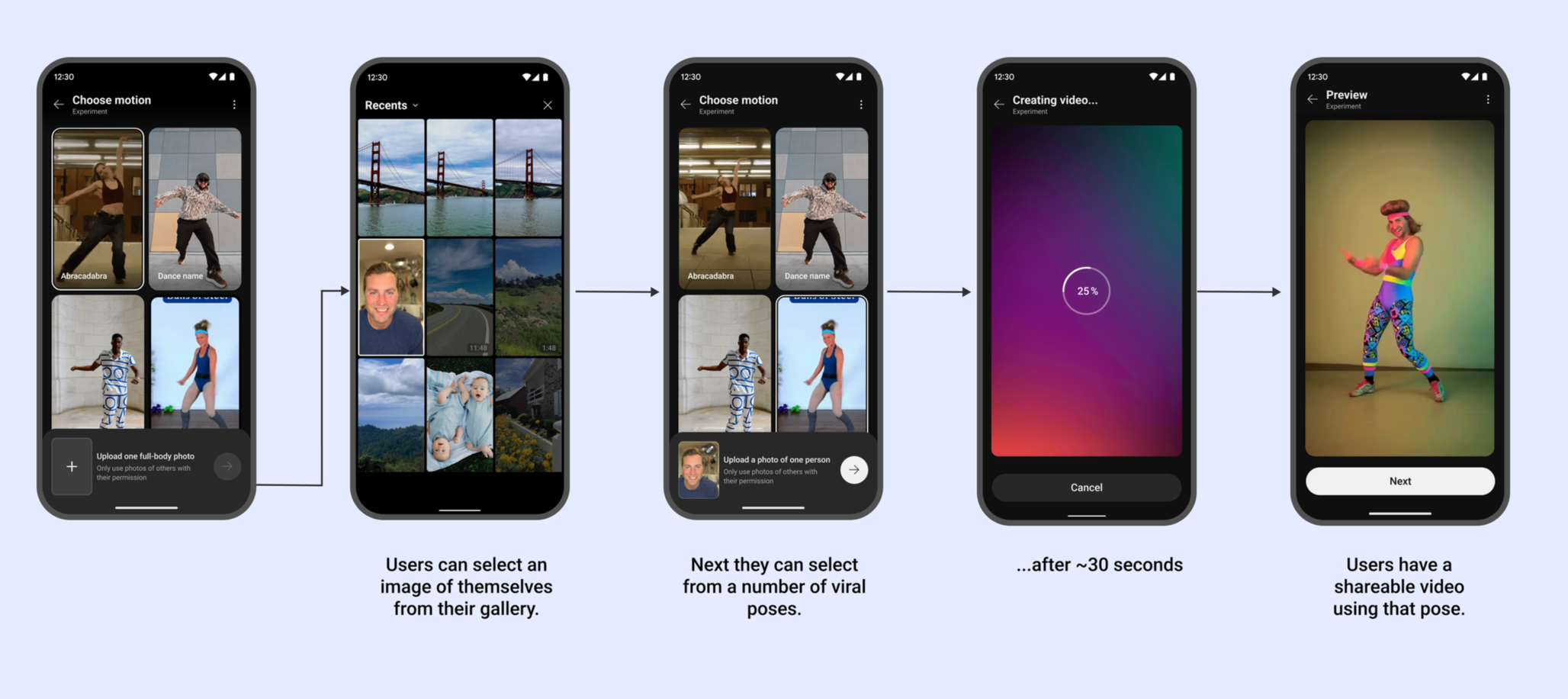
Match Motion: Users can add themselves to their favorite dance and motion based trends and publish to their feeds.
Reference to video: Users add themselves to their video ideas by submitting an image with their prompt.
Design Process & Decisions
A. Discovery & Entry Points
Constraint: The Shorts camera interface is already crowded. Adding complex AI tools could overwhelm users.
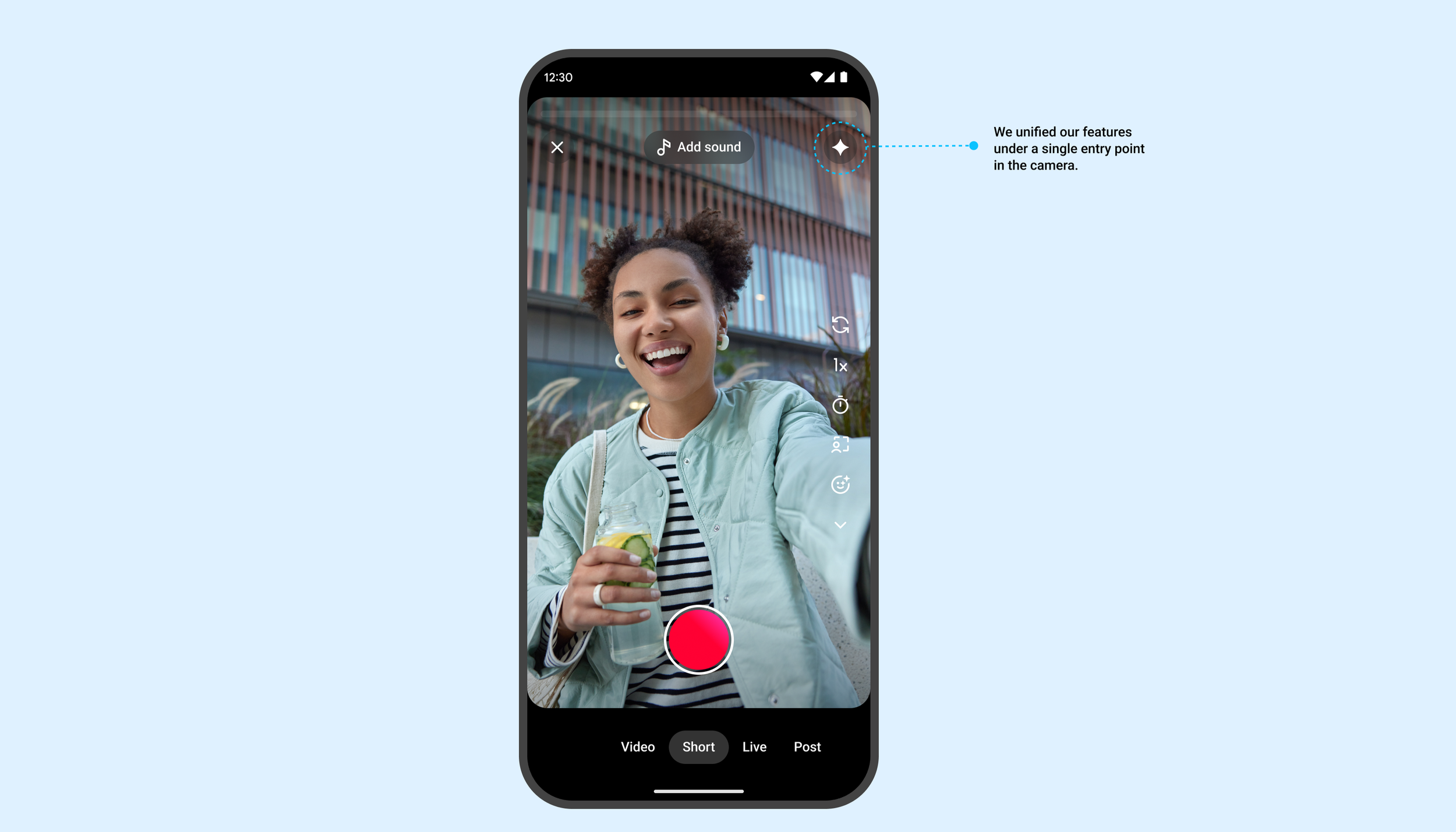
Decision: We consolidated generative tools under a single "Sparkle" icon in the main creation toolbar. This established a clear "Magic/AI" mental model separate from standard utility tools like Timer or Speed.
B. The Creation Experience | Reducing Cognitive & user effort
We found that "prompt engineering" is intimidating for the average teen or casual user. They didn't know what to type or where to get started. To alleviate this pain point, we included several light weight options in the experience to help users get started.
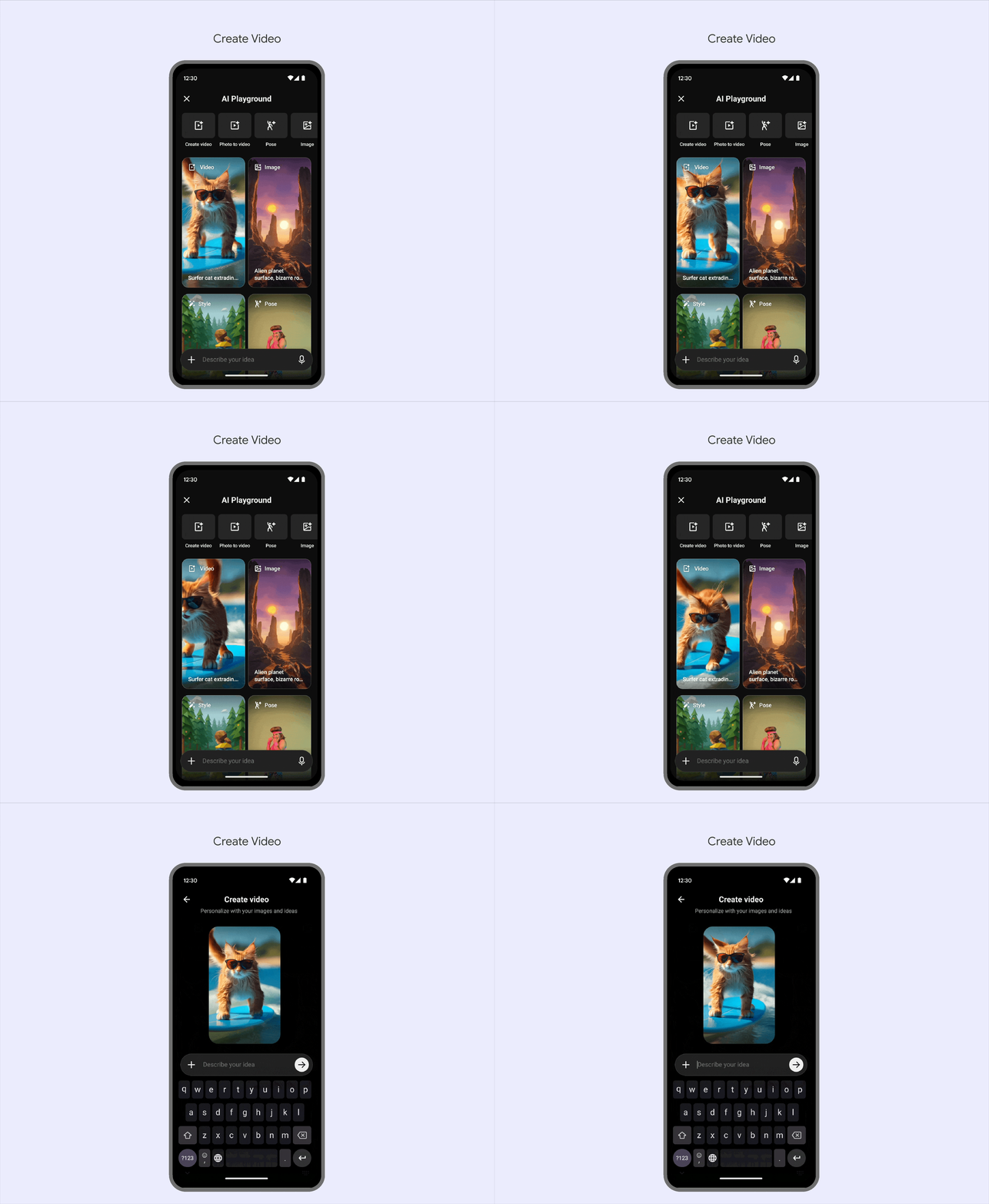
Video Templates: We created high fidelity video templates that show the user what’s possible with the model. All they need to do is tap to edit the prompt.
Suggestion Chips: Contextual prompt suggestions based on trends (e.g., #Halloween -> "Spooky forest").
Show don’t tell: In features like “Match Motion” we hid prompt engineering completely behind video examples of popular dances and athletic feats. All users have to do is add their image.
Integrating GenAI required strict ethical guardrails.
Watermarking: All content generated in the Playground automatically embeds a SynthID watermark and a visible "AI Generated" label on the final video.
Guardrails: I worked closely with the Trust & Safety team to design "soft-fail" error states. If a user prompts for restricted content (e.g., public figures or violence), the UI gently redirects them: "We can't generate that, but how about a [Safe Alternative]?"
Visual Design (UI)
Aesthetic: The UI uses a scaleable grid to showcase video examples of our features so users can understand what’s possible.
Interaction: Tapping a video example takes users to the editable prompt and assets where they can customize the clip for their own needs.
Results & Impact
Since the global rollout of AI Playground and Dream Screen:
Adoption: Millions of Shorts created using AI Playground within the first 6 months.
Retention: Creators who used AI tools were 2x more likely to publish their draft than those using standard camera tools.
Community: A new trend of "Prompt Challenges" emerged, where users dared each other to act out scenes in bizarre AI-generated environments.
Learnings
Iterative Editing is Crucial - the model will never get it right the first time.
Initial user testing showed that users struggled to edit a prompt once the image was generated. They had to start over. In V2, we are prioritizing "Iterative Refinement," allowing users to tweak one word of their prompt without losing the previous seed/style completely.
Eliminate steps to reduce cognitive load further.
Due to technical constraints our flows distinct steps for each portion of the users journey. We noticed a sizeable drop off through out the steps as each one is perceived effort for the user. We’re actively working to condense down the steps, so users get to the video generation portion of the experience sooner and eliminate unnecessary frustration.
Takeaway
The success of AI Playground wasn't just the technology; it was hiding the complexity while help users discover what’s possible with our new model. By turning a complex LLM/Video model into a simple reusable templates, we successfully unlocked creativity for users who never considered themselves "creators."